
Sign up · Show Up · Coming November
Ten minutes. No phone call.
Six steps, done online, in one sitting. Your printed pack generates the moment you finish — not emailed later by somebody, not a support ticket.
FREE TO LIST, FOREVER
NO APPROVAL QUEUE
NOTHING TO ORDER
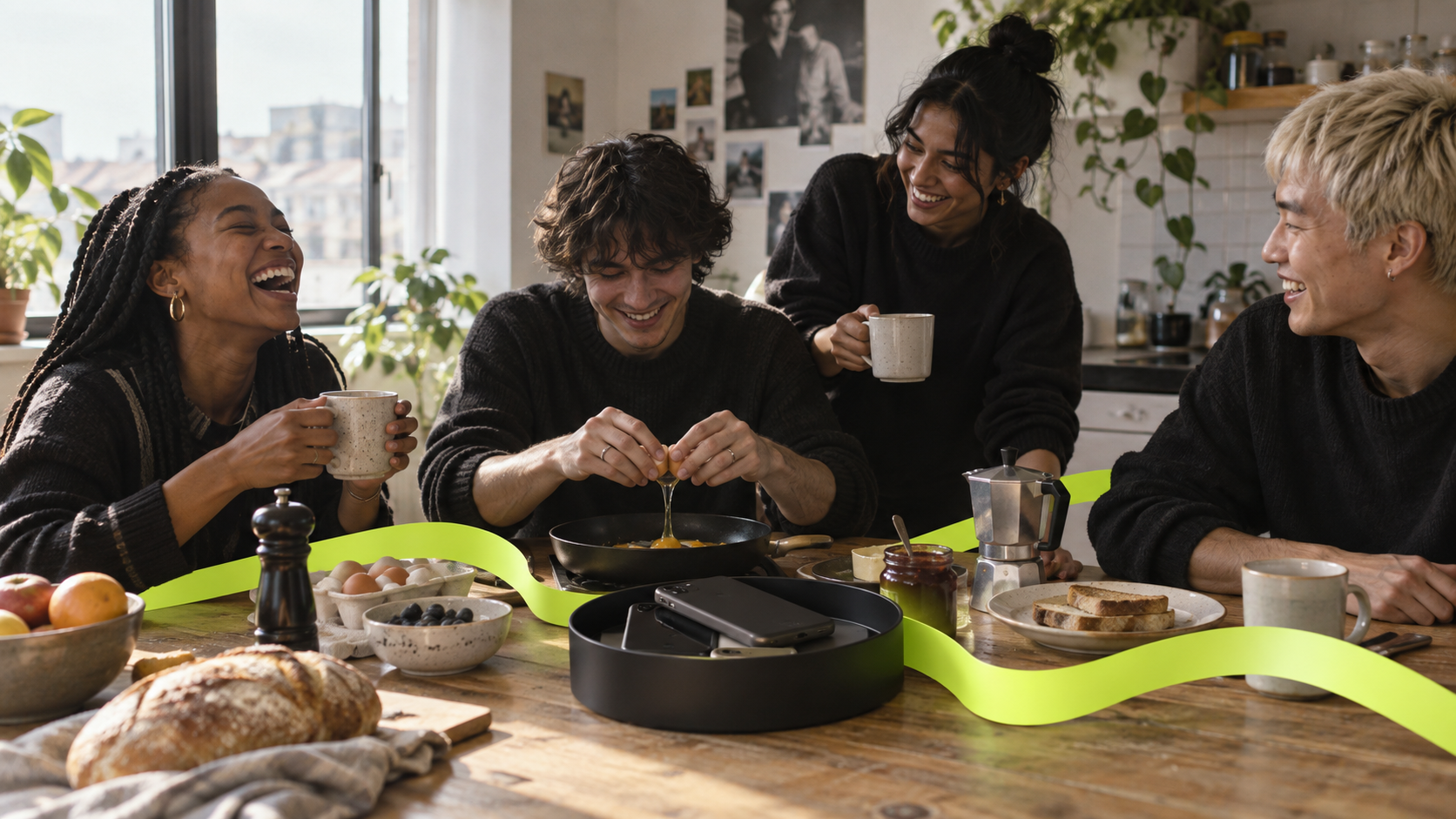
Ten minutes to join. Then people arrive because their phone stays shut until they do.
The six steps.
STEP 01
2 MIN
Your business
Name, type of place, legal entity, your contact. No application form and no queue.
STEP 02
THE ONE CHECK
Prove you run it
A step confirming authority over the address. The only part we look at by hand.
STEP 03
2 MIN
Your sites
Address, opening hours, and roughly how far counts as “here”. Repeat per branch — each gets its own code.
STEP 04
1 MIN
How people check in
A code your staff say out loud, an NFC tag at the counter, or a QR poster. Pick any, change later.
STEP 05
OPTIONAL
An offer, or nothing
A filter coffee before eleven, half off a first drink, or nothing at all. You fund it, you cap it, we take nothing.
STEP 06
INSTANT
Sign and download
E-sign the terms, and your whole pack generates on screen. You are listed from your first real check-in.
The only step we check by hand is proof you run the place. Everything else is instant. We verify authority over the address because otherwise anyone could claim a café they do not own and start issuing offers against it — that check protects you, not us.
Generated the moment you finish
Your asset pack.
Everything carries your own venue code. Print what you want, ignore what you don’t, and re-download any of it whenever you like.
NOT YET.
Your apps
open when
you get here
open when
you get here
Set a rule tonight. Tomorrow your phone stays shut until you walk in.
ASK AT THE COUNTER FOR TODAY’S CODE
You pay the normal price. Nothing here is a discount.
A4 + A3 POSTER
Lobby, lift, laundry, noticeboard. Never prints the code itself — that would defeat it.
FOR STAFF · KEEP BY THE TILL
Today’s code is on your portal home screen.
Say it out loud. That’s the whole job.
Don’t print it, window it, or post it online.
Don’t print it, window it, or post it online.
Changes at midnight, automatically
A6 COUNTER CARD
The staff-facing one. Tells them what to say and what not to do with the code.
NOT YET.
CONNECTION
VENUE
VENUE
WINDOW STICKER
Die-cut artwork for the door. Tells people walking past that this counts.
NOT YET.
We’re a
Show Up
venue.
Show Up
venue.
1:1 AND 9:16 SUPPLIED
SOCIAL TILES
Square and story. Your handle, your photo slot, our mark.
SUBJECT
Your morning has somewhere to go
Drop-in block, ready to paste into your newsletter. Two lines on what NOT YET is, one line on what to do, your code panel at the bottom.
ASK US FOR TODAY’S CODE
EMAIL BLOCK
HTML snippet for your own newsletter. No sending on your behalf.
ONE PAGE · FOR THE TEAM
How this works
on your shift
on your shift
What it is. An app that keeps people’s phones locked until they get somewhere. We’re one of those somewheres.
What you do. Say today’s code when someone asks. It’s on the portal home screen.
If we fund an offer. They show you a one-time code on their phone. Give them the thing.
Never. Print the code, put it in the window, or post it online.
If something’s wrong. Nothing bad happens. Their apps unlock anyway — it’s never their fault or yours.
STAFF BRIEF
One page, no jargon. Written to be read in the thirty seconds before a shift.
QR
OPTIONAL · SVG + PNG
QR CODE
If you want one. Scanning still confirms the person is inside your venue, and it rotates — otherwise a photographed poster works from anywhere.
TODAY’S CODE
R4P9
Changes at midnight
THE CODE ITSELF
Lives on your portal home screen, large, where staff already have it open. Never in the pack, never printed.
One rule across the whole pack: printed material tells people to ask, it never shows the code. A code anyone can read without walking in is the one thing that breaks this — and it is your offer budget it would spend, not ours.
Step one of six
Your business.
Everything on this step you already know off the top of your head. Nothing here needs a document — the only step that does is step two, and we tell you exactly what counts.
Before you start · device requirement
You need at least one iPhone in the venue.
NOT YET is an iPhone app. Your team needs one iPhone on iOS 26 or newer to register NFC tags, scan a reward, and see what a resident actually experiences. If nobody in the venue has an iPhone, we are not the right fit yet — and we would rather say so now than take your details.
Day-to-day is different. Reading out the code, checking your numbers and managing your team all happen in your browser, so the rest of your staff can be on anything — Android, an old tablet by the till, a desktop. Only the setup and the tag work need the iPhone.
Fill this in
Have ready for step two
One of these, showing your name or your company at the venue address:
A utility or business rates bill for the venue
A lease, tenancy or licence to occupy
A bank or card-processing statement showing the trading address
Your business insurance certificate
A Companies House record listing the address, if it is registered there
A photo on your phone is fine. We are confirming you run the place, not auditing you — and we delete it once you are verified.
What you do not need
No credit card — listing is free and there is nothing to pay
No till or EPOS integration, ever
No hardware order, unless you decide you want tags
No minimum trading history, and no minimum size
No sales call, no demo, and no approval committee
Then what happens
Verification is usually the same working day. You can complete steps three to six while you wait — sites, check-in method, offer and terms — so your pack is ready the moment you are verified. You go live on your first real check-in, not on submission.
Start now.
Free to list, forever. You fund any offer yourself and we take nothing from it. Show Up is coming November, live city by city once the venues and verification checks are ready.
Start step oneabout ten minutes · no sales call · nothing to order