01 / 03CHOOSE YOUR APPS
Pick your poison.
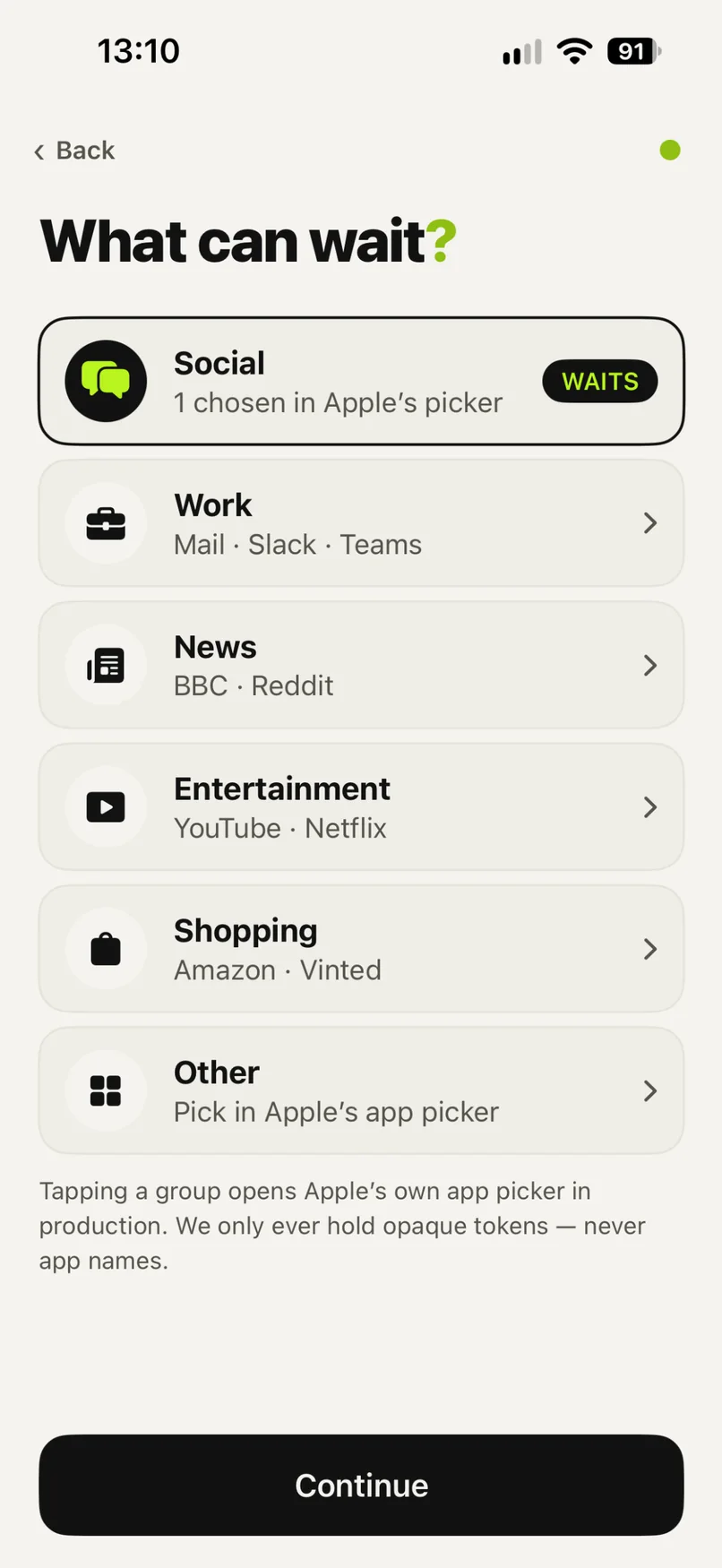
Instagram, TikTok, X, Reddit, Slack, email — whichever apps keep stealing your mornings.

Block your morning scroll until you've actually done something.
Shipping December 2026
7-day trials on eligible standard subscriptions. No trial on the £2.99 intro or either Lifetime plan.
How it works
A little friction between you and the feed. Three steps. Your rules.
Instagram, TikTok, X, Reddit, Slack, email — whichever apps keep stealing your mornings.
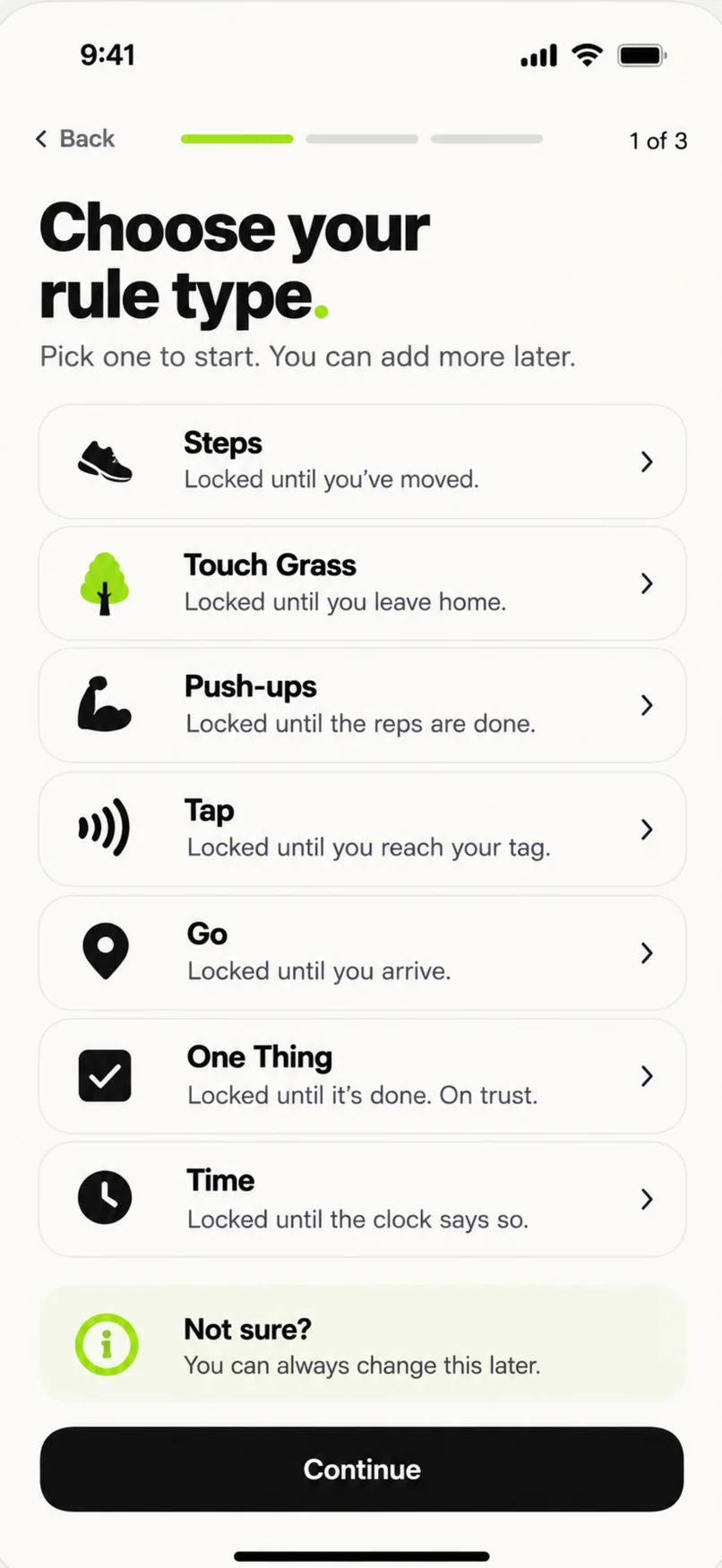
Steps. Outside. Somewhere. A task. A time. A tap. Your choice — and you can stack them. More friction, better odds.
Complete the rule and your apps unlock.
Your apps stay locked while you rack up steps. Hit the goal, get them back. That's the idea — steps is just one of seven ways out.
Illustration: hit your step goal, unlock your apps.
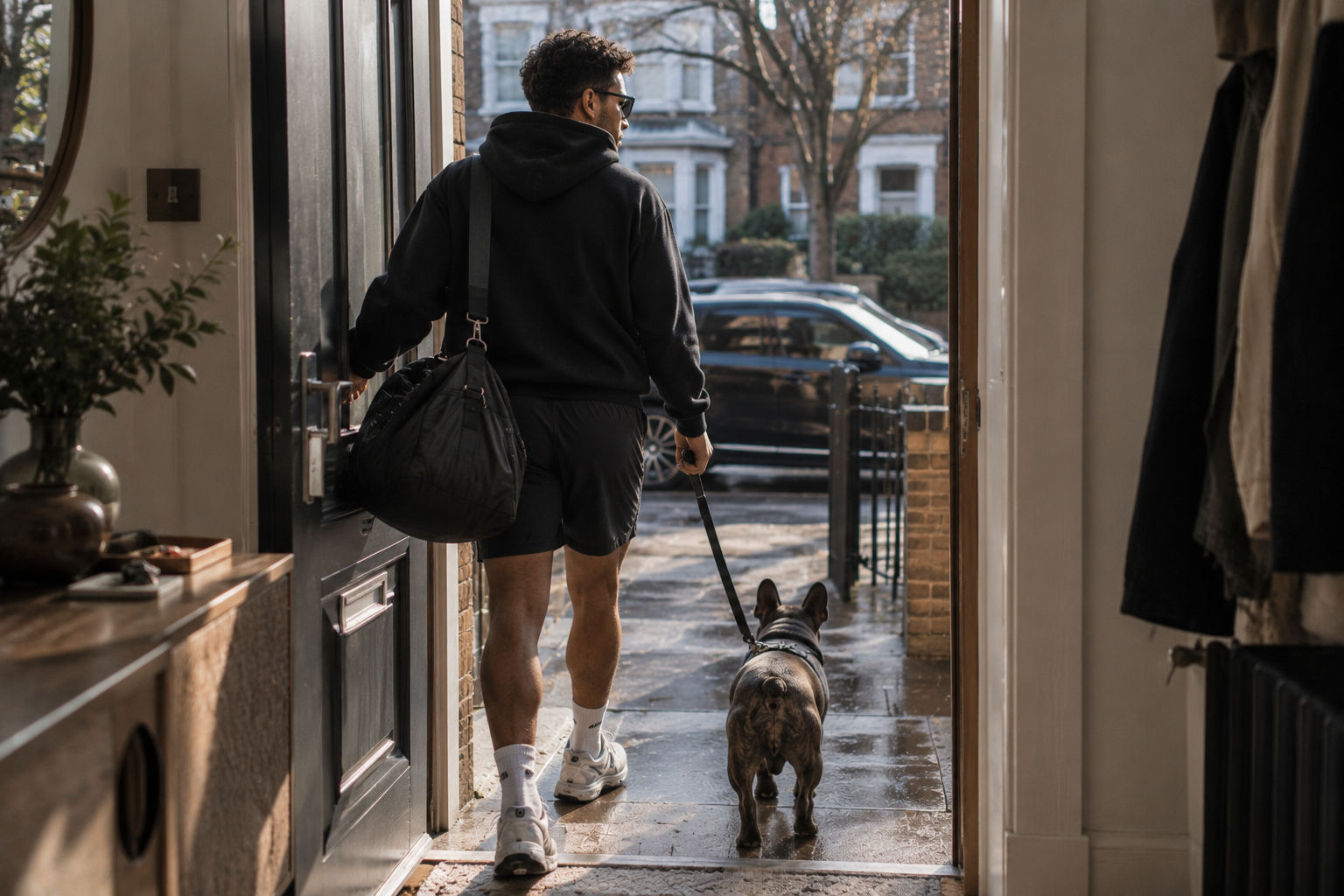
Your alarm goes off. Your hand finds Instagram before your brain has loaded.
NOT YET.
That's the entire idea. A little friction between waking up and scrolling. No streaks, no lectures, no breathing exercises. Just a locked door and one rule to open it.
Start the day in a good mood. Not in a comparison mindset.
Yourself. Your dog. Your kids. Your partner. Your breakfast. The gym. Absolutely nothing.
Something else happens before the app opens. That's the whole system. Stack rules — grass + 1,000 steps + a tap — and give each app group its own: socials earn their way in, work just waits until 9:00.
Walk a number of steps before anything opens.
Step outside. Get daylight. Feel weather.
Reach a place you actually chose. Not just "outside" — there.
Tap your phone on a NOT YET Tag where your morning actually happens. Only with a compatible NOT YET Tag.
Name one thing you'll do first, then confirm it. On your honour.
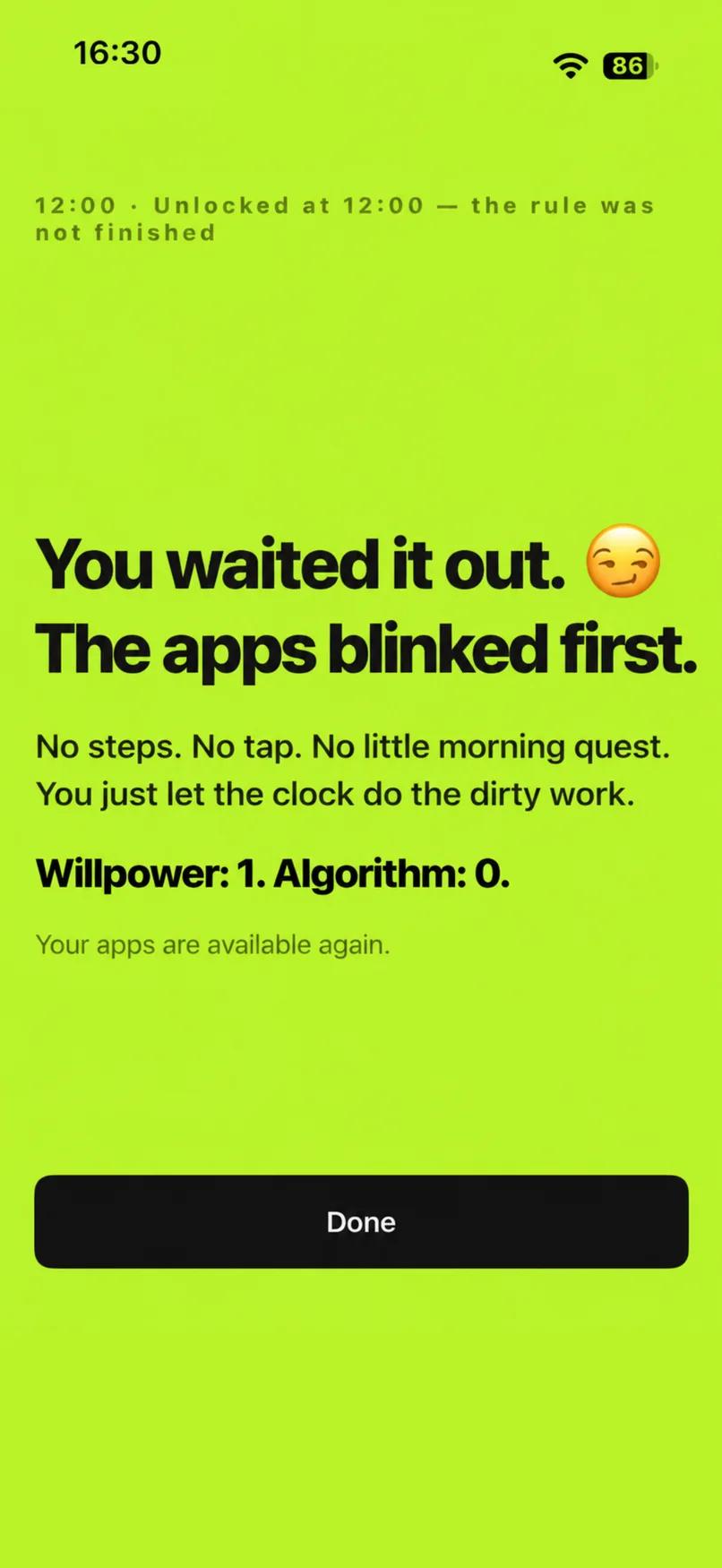
Apps stay shut until a time you pick. Email at 9, not 6:52.
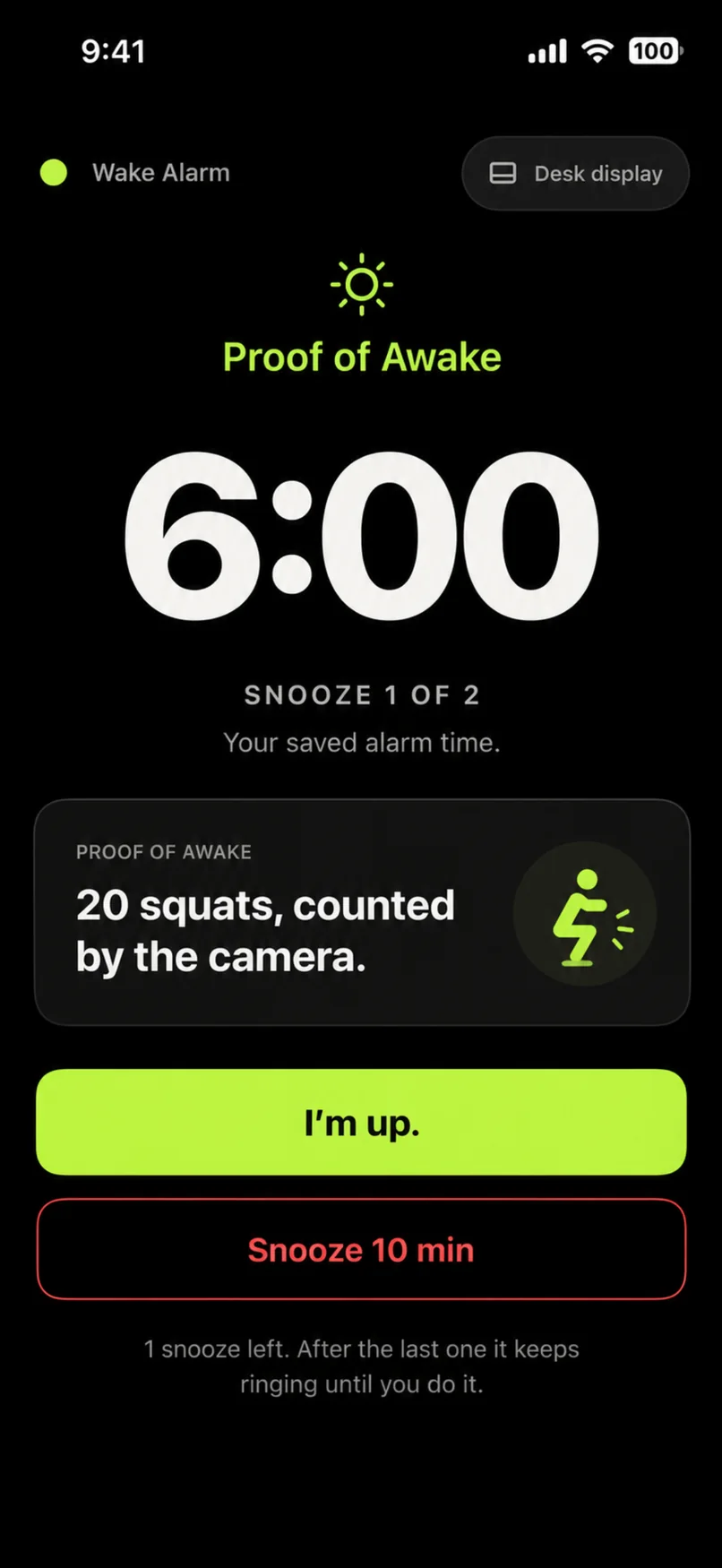
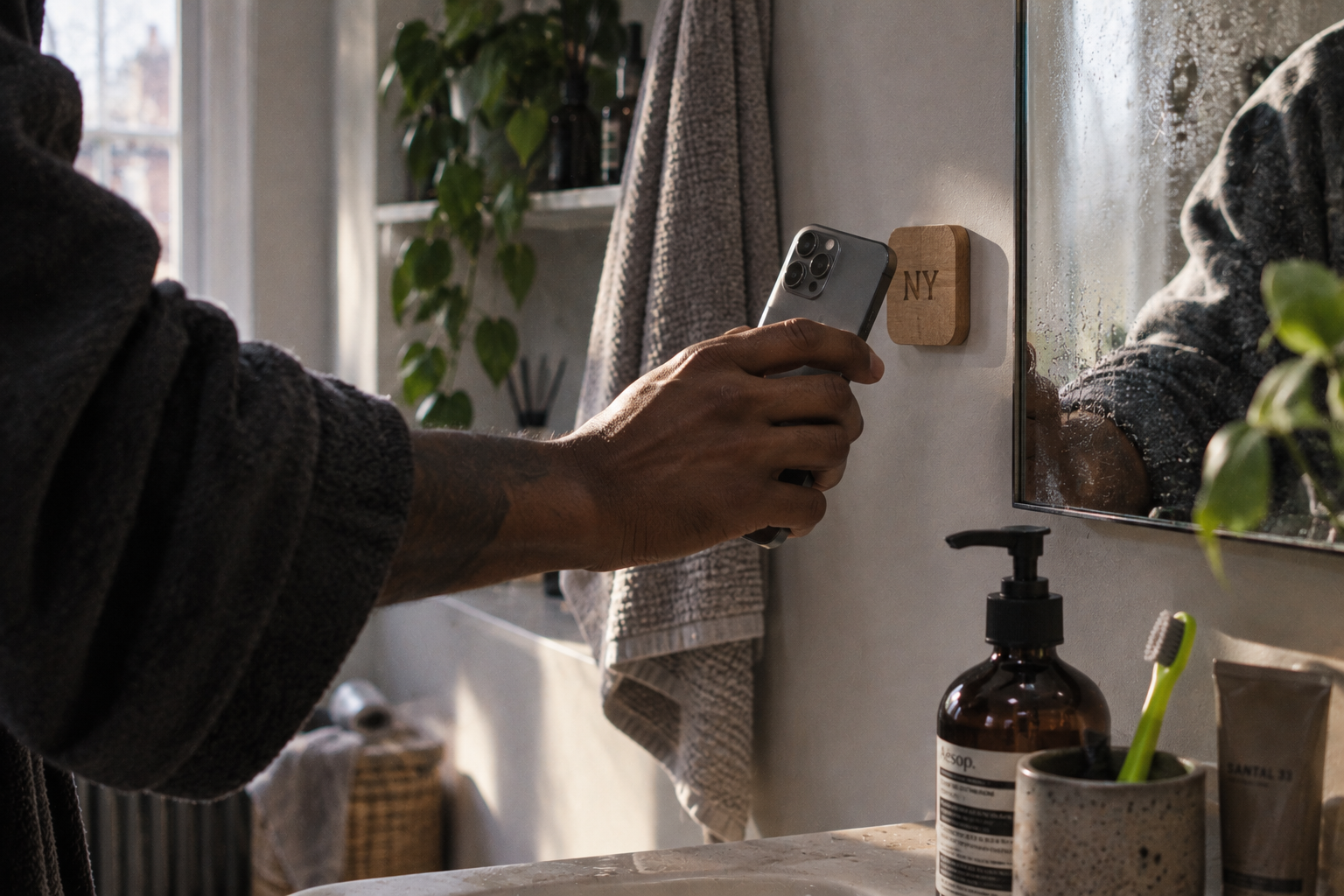
Pick your Proof of Awake. Move — walk 20, 30, 50 or 100 steps, counted only after the alarm starts, sleep-steps don't exist. Or Tap — silence it with a NOT YET Tag on the mirror, in the kitchen, by the door.
And it double-counts: the 30 steps that shut the alarm up are the first 30 of your 1,000-step morning. Tap the bathroom tag to kill the alarm and that tap's already done for your morning rule. No duplicate proof, ever.
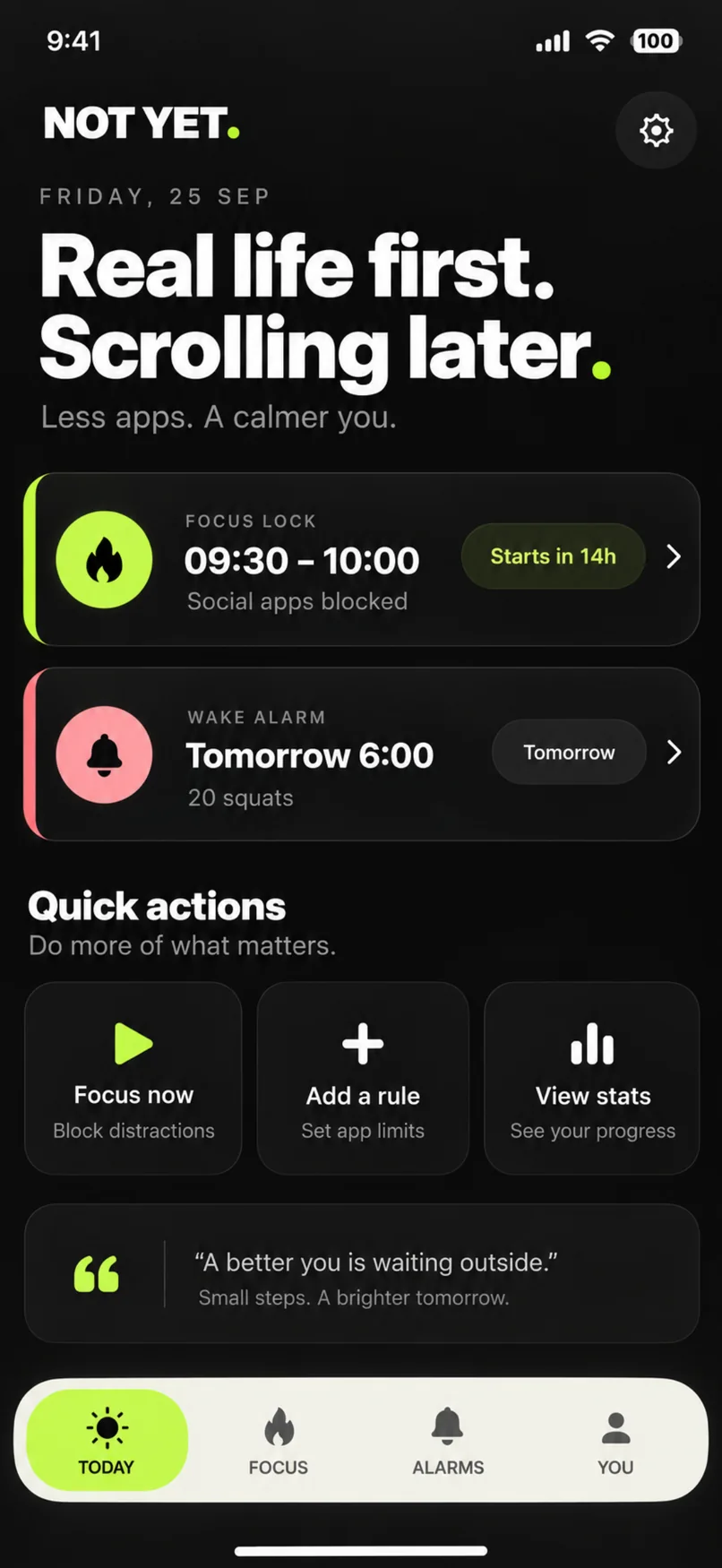
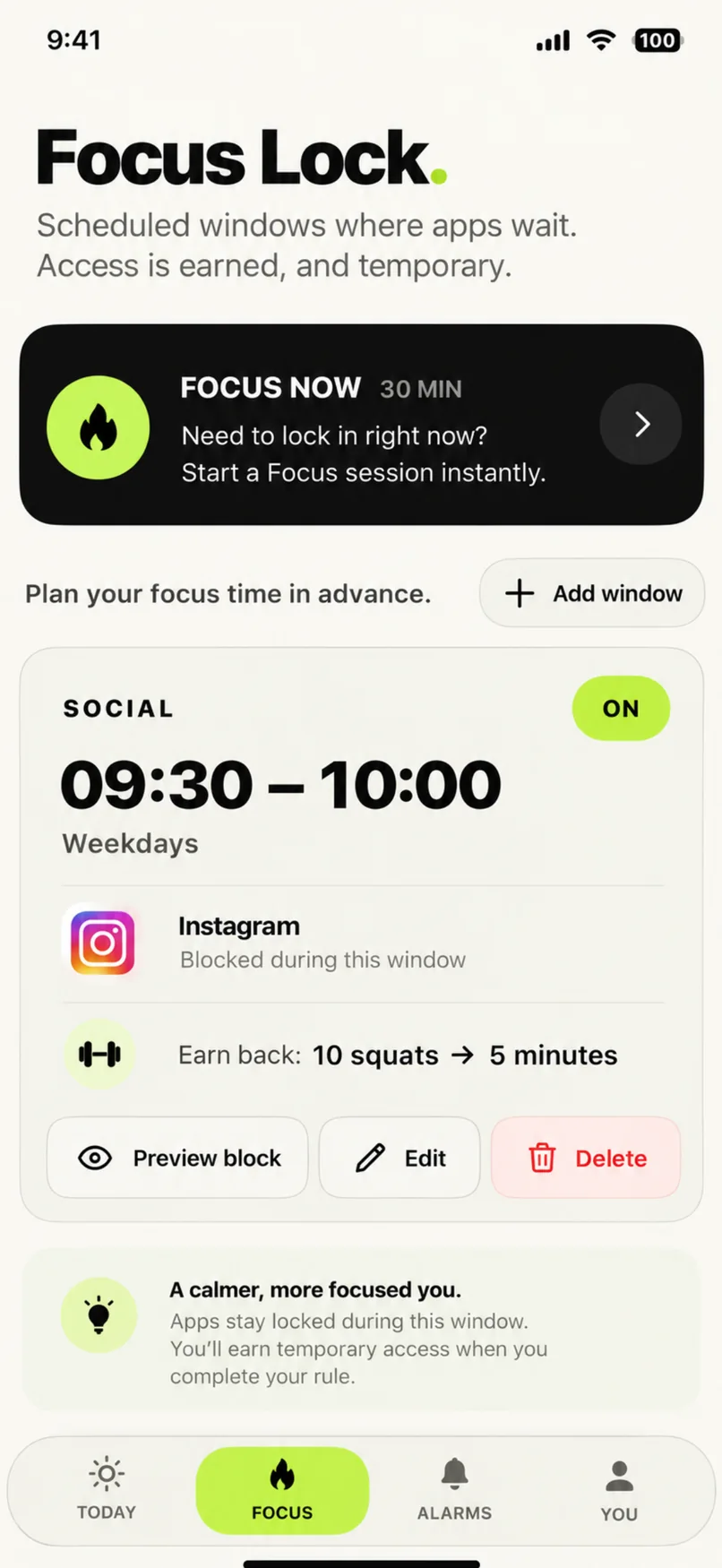
You know the hours when your attention disappears. Set a Focus Lock window and NOT YET holds the line — with one honest escape hatch.
Unlike a morning rule, the window itself is the condition — it ends when it ends. The break is deliberately short (15 minutes by default). You get in when you genuinely need to, and one quick check can't quietly become another two-hour scroll. Emergency Override is always there and always works: a deliberate ten-second hold, never an accidental tap.
Morning is just where we start.
Block anything Apple's app picker can see — Reddit, YouTube, Gmail, Outlook, Slack, Teams, news, shopping. Your boss doesn't get you at 6:52am.
A nine-year-old getting their first phone and a founder losing their mornings need the same thing and nothing like the same setup. This is what it looks like at each stage — and why the habit gets harder to build the longer you leave it.
A circular NOT YET full stop — an on-metal NFC tag. Stick it where your morning actually happens — and your apps stay locked until you physically get up and tap it. That physical step is the point: real friction between the urge to scroll and the scroll. It's also your wake alarm's off switch — one that doesn't stop until you get up and tap it. The Tap rule and the Wake Alarm's tap proof use NOT YET Tags.
Shipping December 2026
Final dimensions and specifications may vary slightly from the current product visuals as we complete production sampling. The overall design will remain the same.
Every line is authored, not generic AI-generated filler. It's personal — it knows the context: your rule, your progress, how many times you've tried this morning, the reason you picked (yourself, the dog, the gym, your upgrade year) and, if you tell it, your name.
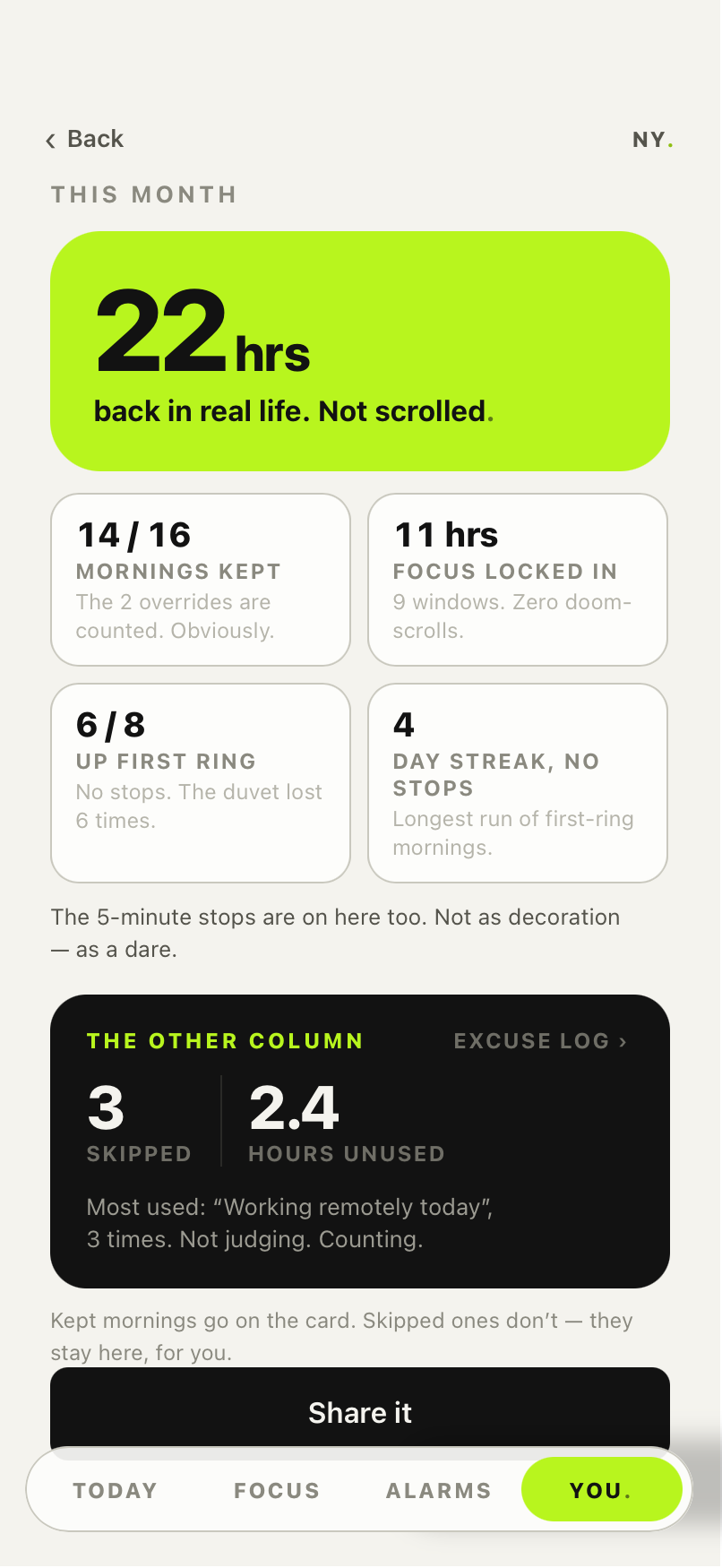
NOT YET counts what you got back, not what you gave up — hours in real life, mornings kept, focus hours, first-ring wake-ups, streaks. The overrides are on there too. Not as decoration — as a dare.
counted on your phone · leaves it only if you tap Share
Individual is for you. Family, coming January 2027, adds parent controls, linked child devices and School Day. Choose a subscription, or a separate Individual or Family Lifetime purchase.
Scroll to explore
Then automatically renews at £7.99/month unless you cancel. One month to find out whether this changes your mornings.
Eligible seven-day trial, then £79.99 a year — about £6.67 a month, and £15.89 less than paying monthly.
The standard monthly plan, with an eligible seven-day trial. Cancel in your Apple account whenever you like.
Individual access for one person, for as long as NOT YET exists. 10,000 places across ten price bands.
charges immediately · no trial or renewal · current band price confirmed in the app
See Individual Lifetime bands →Scroll to explore
Everything Individual has, plus parent controls, linked child devices, per-child rules and School Day. Works out around £20.83 a month.
The same Family feature set, month to month, with an eligible seven-day trial.
Two adults and up to four children. Parent controls, linked child devices and School Day, coming January 2027.
2,500 places · charges immediately · no trial. For as long as NOT YET exists; child seats end at 18.
See Family Lifetime details →One payment for Individual access, for as long as NOT YET exists. 10,000 Individual places. Refunds free a place; returned places sell at the currently open band price.
No renewal and no trial: Lifetime charges immediately. The current price and availability are shown at purchase. For parent controls and child devices, choose the separate Family subscription or Family Lifetime plan.
Prices shown are UK. Outside the UK the App Store charges the price set for your territory in your local currency — the price shown at purchase governs. Individual: 7 days free, then £7.99/month or £79.99/year, auto-renewing unless cancelled. Or start on the £2.99 launch intro instead — that route has no free trial: it applies to the monthly plan for one month, is charged immediately, and then renews at £7.99/month unless cancelled. It does not continue at £2.99. You can take the free trial or the intro price, not both. Family, coming January 2027: 7 days free, then £24.99/month or £249.99/year auto-renewing unless cancelled; Family includes parent controls, linked child devices and School Day. Individual Lifetime starts at £49.99 with 10,000 places. Separate Family Lifetime is £299.99 once, with 2,500 places, for two adults and up to four children. Child seats end at 18. Both Lifetime plans charge immediately, have no trial and last for as long as the app exists. Subscriptions renew automatically unless cancelled at least 24 hours before the period ends; manage or cancel in your Apple account settings.
Individual is £7.99 a month or £79.99 a year. Eligible standard subscriptions have a seven-day trial; the £2.99 monthly launch intro charges immediately instead. Family, coming January 2027, is £24.99 a month or £249.99 a year, with an eligible seven-day trial. Individual Lifetime starts at £49.99, with 10,000 places. Separate Founding Family Lifetime is £299.99 once for two adults and up to four children, limited to 2,500 places. Both Lifetime options charge immediately and have no trial. Prices shown are UK; the price and terms shown at purchase govern.
Unless you cancel at least 24 hours before it ends, your Family plan begins — £24.99/month or £249.99/year, whichever you chose — and renews under Apple's subscription terms until cancelled. Cancel during the trial and you pay nothing. Manage or cancel in your Apple account settings; deleting the app does not cancel a subscription. Seven days free applies to every plan except the £2.99 launch intro and the Lifetime options. Lifetime is one payment, no trial — change your mind and request a refund through Apple.
Yes. It uses Apple's Screen Time controls to make your chosen apps unopenable until your rule is done. Not a willpower widget — an actual lock.
Yes — anything Apple's app picker can see. Instagram, TikTok, X, Reddit, YouTube, Gmail, Slack, Teams, news, shopping. Some people block email. Respect.
There's an emergency override: hold to disappoint your past self. Emergency access remains available; it is separate from requests that need a parent’s reply.
Yes — eight of them: Steps, Touch Grass, Push, Tap (NFC), Go, One Thing, Time and Show Up. Seven work anywhere from launch; Show Up needs participating venues, so it arrives with the venue network, coming November. Stack rules for mornings that need a bigger push, and give different app groups different rules — socials earn their way in, work waits until 9:00. Push works from day one with manual confirmation; camera counting is planned for public launch in October 2026.
Choose your Proof of Awake: Move (walk 20, 30, 50 or 100 steps — only steps after the alarm starts count), Tap (a registered NOT YET Tag) or Push (push-ups or squats, counted by the camera). Set it for any hour. Alarm progress counts toward your morning rules too: kill the alarm with 30 steps and you're 30 into your 1,000. No duplicate proof.
£2.99 for your first month of Individual, charged immediately with no free trial. After the first month, it automatically renews at £7.99/month unless cancelled. It does not continue at £2.99. Apple confirms offer eligibility and the terms before you buy.
For Tap, yes. Tap uses NOT YET Tags, and the Wake Alarm can take steps as proof instead. NOT YET Tags (a circular full stop; on sale now, aiming to deliver December 2026) are the premium physical option. Finishes, packs and prices are shown in the shop on the Tags page, plus shipping.
Yes. Skip a day or pause entirely from settings. No guilt trip, one tasteful remark.
Only if you pick Touch Grass, Go or Show Up — and it is sampled at the single moment you claim completion, never in the background. There is no location history, so there is nothing to leak, be requested or be subpoenaed. For Go, the place you chose stays on your phone and we only ever receive a yes or no. Show Up is the one exception and we say so plainly: checking in at a partner venue tells that venue a visit happened, as a count. It never tells them who you are, what you blocked, or anywhere else you have been.
Two halves, and we will be precise rather than flattering. On your phone and never leaving it: which apps you chose (Apple gives us a token, not a name — we genuinely cannot tell it was Instagram), your step counts, any place you picked for Go, camera frames for push-ups, and anything you typed. What reaches our servers: the outcome only — "rule met at 07:14" — plus your account, subscription and completion records. Not the evidence, just the result. We keep those in the United Kingdom, for the periods listed in our privacy policy — 13 months for your rule history, 30 days after you delete your account, six years for receipts because tax law requires it. We use no third-party analytics, ever, and we never sell personal data or run advertising profiles. You can export or request deletion in the app. Children’s requests go to the privacy team for review and do not immediately lift Family restrictions.
A short list, and it is short on purpose. Your email and sign-in, country, language and time zone. Your subscription and payment status — never your card details, which Apple and our shop handle. The rules you created, and whether each one was completed and when. Your own history and streaks. Crash reports. Security and fraud records. That is it. We do not collect screen-time history, app names, browsing, contacts, messages, photos, or any location trail — several of those because Apple does not expose them, and the rest because we decided not to. One thing worth being straight about: the same short list is what our aggregate reporting is built from. We do not collect anything extra for partners, schools or our own reports — we count what is already there. So a figure like ‘people in this building completed a rule 4,100 times last quarter’ comes from the completion records above, added up, with no names attached and never released unless enough people are represented that nobody can be worked out backwards.
No. We do not sell personal data, we do not share it with advertising networks, and we do not build advertising profiles. We may publish aggregate statistics — how many people in a city completed a rule in a month — and we may produce reports like that for a university or an accommodation operator. Those are counts and rates only, released only when enough people are represented that nobody can be identified by working backwards, and never including children's data or health data.
Yes, because it has to be. Step counts from Apple Health are health data under UK law, so we process them only with your explicit consent, given when you grant Health access. We store whether your target was met, not the number. You can withdraw the permission at any time in iOS Settings, and every rule other than Steps works with no Health access at all — so you can use the whole product without ever granting it.
Export or request deletion in the app. Children’s deletion requests go to the privacy team for review; submitting one does not immediately lift Family restrictions. Parents have no automatic veto. See our privacy notice for retention details and the contact address if you prefer to email.
Whether School Day finished. That is the whole list. Not your child's messages, browsing, apps opened, location, their own rules, or their own results. A child account is the full app — they build their own rules and keep their own history privately, and we tell them so in their own app. What a parent controls is which rules count during School Day, and the ability to start a homework period.
No, and this is not a setting we could change our minds about — the data model does not hold what they would need. A venue sees counts of verified arrivals. A building sees aggregate participation. An employer sees adoption and completion rates across a group of at least fifty people. None of them can see an individual, and no organisation may use anything from NOT YET in an appraisal, disciplinary or academic decision — that is written into their contracts.
iPhones running iOS 26 or later. That is a deliberate and slightly costly choice: the Wake Alarm is built on Apple's AlarmKit, which only exists from iOS 26, and building the alarm twice — once properly and once as a workaround — would have made both worse. If your iPhone cannot update to iOS 26, NOT YET will not run on it yet, and we would rather say that here than let you find out at the App Store.
Every restriction lifts. There is a 72-hour grace period if a payment fails, so a declined card at 6am does not lock you out of your own phone — and if it lapses properly, the app opens everything and stops enforcing. We never hold your apps hostage over billing. Your rules are kept in case you come back.
An already-active Family restriction continues offline with its original timer, permitted completion methods and emergency access. Requests needing a parent’s reply stay pending while unreachable. Turning off the network does not automatically release an active Family restriction.
For Tap, yes. Tags are on sale now and we are aiming to deliver in December 2026. You can cancel any time before dispatch for a full refund. If your order has not been dispatched by 5 January 2027, you will receive a full refund.
iPhone first, and we will be straight about the rest. iPad is planned after Family. Apple Watch has no date — it would be useful for alerts and we are not going to pretend it is imminent. Mac is not possible: Apple provides no equivalent of these controls on macOS, so no app like ours can restrict a Mac. For a Mac, use Apple's own Screen Time — we would rather tell you that than imply a roadmap.
English at launch. Additional language choices are coming from February 2027, then the rest of the world after that. Translation, voice recording and territory legal review are separate pieces of work, and we would rather ship one language that sounds like a person than nine that sound like a translation memory.
Family is coming January 2027, as its own release after the individual launch. One subscription — 7 days free, then £24.99 a month or £249.99 a year. It adds the whole Family layer on top of the Individual app: parent controls, linked child devices and profiles, rules and schedules per child, approvals, and School Day, where social, games and video wait during school hours while everything a child actually needs stays available. Children also get the full app for themselves — their own morning rules, Focus Lock windows and alarms.
Individual Lifetime starts at £49.99 for the first band, with a limit of 10,000 Individual places. It lasts for as long as NOT YET exists as an app, with no renewal. The published price rises by £10 each thousand places, up to £139.99. Refunded purchases free a place; a returned place is sold at the currently open band price. Current availability and price are shown at purchase. Lifetime charges immediately and has no trial.
Individual Lifetime covers your own Individual access. Separate Founding Family Lifetime is £299.99 once for two adult seats and up to four child seats, limited to 2,500 places. Both charge immediately with no trial and last for as long as NOT YET exists; child seats end at 18. Family includes parent controls, linked child devices and School Day, coming January 2027.
Not yet. (Sorry.) iOS first, because the lock depends on Apple Screen Time controls and doing it properly on Android is a different build, not a port. It is planned but unscheduled.
Scroll to explore
Your eligible subscription can support a fund at a participating building, university or school. Eligibility is checked first, and the contribution follows that partner’s terms.
A discount would just move money from us to you and call it generosity. This moves money into a building, a union or a school — and it only works because you paid full price.
Your building gets a total and a count. Never your name, never your phone, never which apps you chose. A school never sees an individual child at all.
Nothing changes and nothing is missing. The fund only exists where someone introduced us — it is never taken out of what you get.