
Wake Alarm.
Your alarm wants proof you actually got up. Here is exactly how it behaves.
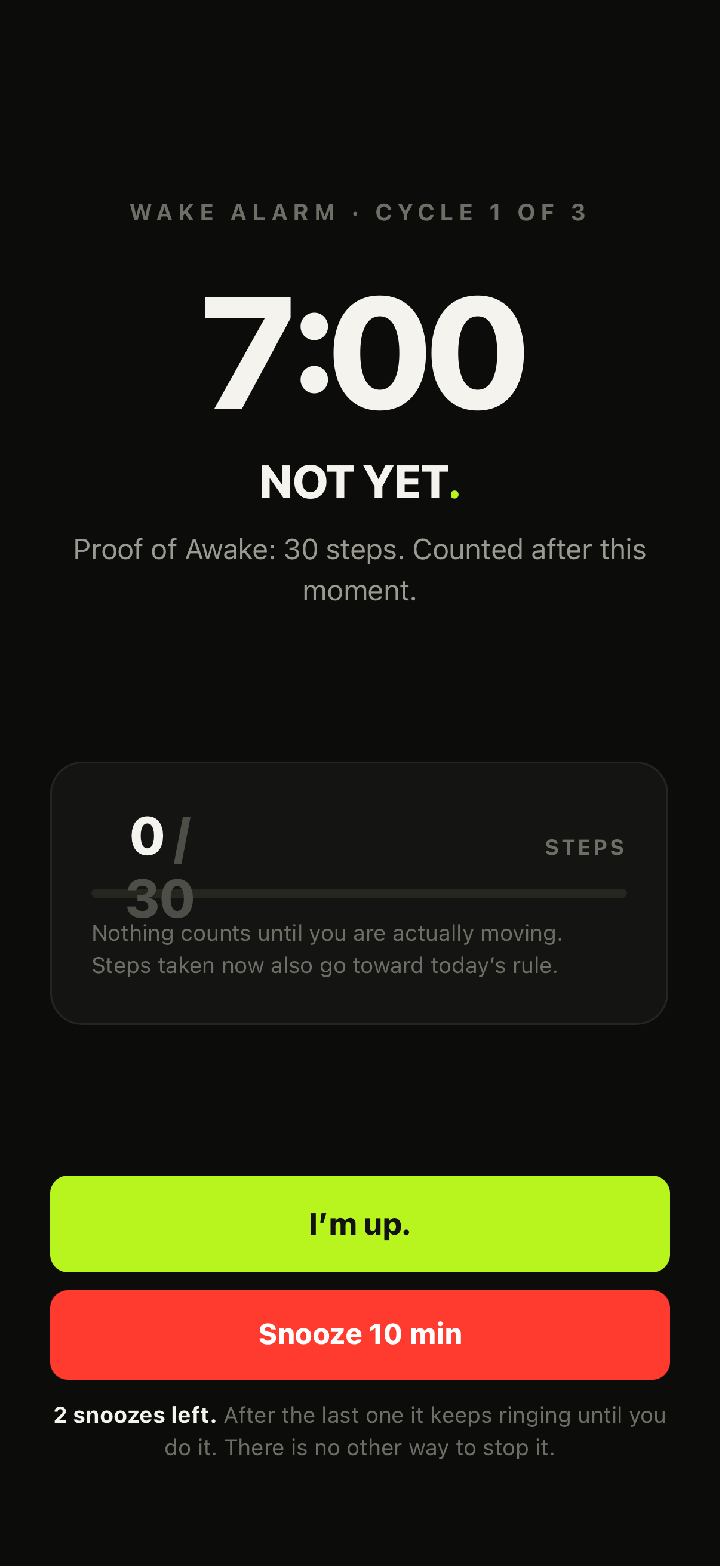
It will not go quiet.
Your Proof of Awake, chosen the night before. Only steps taken after the alarm starts count.
Availability
The Wake Alarm ships with the iOS app (iOS 26 or later). It relies on Apple alarm functionality; behaviour can vary with iOS version. You can set it for any hour of the day or night.
Proof of Awake — three methods
MOVE — walk 20, 30, 50 or 100 steps (or a custom target). Only steps taken after the alarm starts count. Steps from yesterday, or from sleep-tossing, don't wake anyone up. Counted by the iPhone's own step counter, so it needs Motion & Fitness access, not Health.
TAP — tap a registered NOT YET Tag. No tag purchase is required to use the Wake Alarm — use MOVE or PUSH instead.
PUSH — push-ups or squats, counted on-device by the camera. Nothing is recorded. Setup is in Push help.
Stops and re-arm
You choose the snooze at setup — 5, 10 or 15 minutes, and how many you get, from three down to none. After your last one there is no negotiation available, which is the entire point. If you allowed it, stopping early buys 3, 5 or 10 minutes (your setting), at most 3 times, then it rings until you prove you're up. The alarm survives a restart, a force-quit and low power.
Shared morning progress
Alarm progress counts toward your morning rules. Kill the alarm with 30 steps and you're 30 into your 1,000-step morning. Tap the bathroom tag for the alarm and that Tap condition is already complete. No duplicate proof.
If your Tag is missing or deleted
If a TAP alarm's registered tag is deleted or unreadable, the alarm falls back to a dismissable state rather than ringing forever — switch that alarm to MOVE or PUSH, or re-register a tag.
Motion & Fitness permission
MOVE can't count steps without Motion & Fitness access. If it's off, turn it on in Settings → Privacy & Security → Motion & Fitness → NOT YET, or switch the alarm to TAP or PUSH.
Stopping the alarm early
Emergency Stop is an optional setting on each alarm, and it is off unless you turn it on. With it off, only your Proof of Awake, or the way out you chose at setup, stops the alarm. With it on, you can stop the alarm without completing Proof of Awake. You are asked to confirm, and Emergency Stops are recorded.
Safety — read this bit
NOT YET's Wake Alarm is not a medical, emergency or safety-critical alarm. Do not rely on it where failure could risk harm — flights, medication, anything that really matters. Keep a backup alarm for those.